
3 FREE AI Tools Every Teacher Needs in 2026

Teaching has changed dramatically over the last few years. Today's teachers, professors, and academic supervisors are expected to do much more than deliver lectures. They must prepare lesson plans, create presentations, design assessments, supervise students, organize research projects, manage course materials, and keep track of multiple deadlines—all while maintaining the quality of education.
The challenge is not a lack of knowledge. The challenge is managing an increasing workload with limited time.
Fortunately, artificial intelligence is helping educators work smarter rather than harder.
In this article, we will explore three free AI tools that can help teachers save time, organize their work, prepare better lectures, and manage students more effectively in 2026.
Tool #1: Claude AI – Your Personal Teaching Assistant
Many AI tools can generate text, but Claude stands out because of its ability to create structured educational content. For teachers, this means less time spent formatting documents and more time focusing on teaching.
Imagine you need to prepare a 45-minute lecture for undergraduate students. Traditionally, this process involves gathering information, organizing content, creating slides, and preparing lecture notes. Claude can significantly reduce this workload.
How Teachers Can Use Claude
Create complete lecture plans
Instead of starting from scratch, teachers can simply provide a topic and ask Claude to prepare a detailed lecture structure. The tool organizes the content logically, making it easier to deliver a lecture that flows naturally from one concept to another.
Generate presentations and lecture notes
Claude can transform raw information, PDFs, research articles, or textbook content into presentation-ready material. It not only suggests slide headings but also creates detailed explanations that can be used as teaching notes.
Develop lesson plans for multiple classes
If a professor needs to teach a topic across several sessions, Claude can create a comprehensive lesson plan covering objectives, key concepts, activities, and expected learning outcomes for each class.

One of the most impressive aspects of Claude is its ability to present information in a professional format. Documents often look organized and ready for immediate use, reducing the need for extensive editing.
Why Claude is Valuable for Teachers
Teachers spend countless hours preparing educational material. Claude helps automate many of these repetitive tasks while maintaining structure and clarity.
Whether you are teaching undergraduate students, postgraduate researchers, or professional training programs, Claude can help transform ideas into organized educational resources within minutes.
Tool #2: NotebookLM – Turn Research Papers into Teaching Material
If Claude helps with content creation, NotebookLM helps with content understanding.
Developed by Google, NotebookLM is one of the most useful AI tools available for educators who work with research papers, lecture notes, reports, and academic documents.

Instead of searching through dozens of papers manually, teachers can upload their files and ask questions directly from the content.
What Makes NotebookLM Different?
NotebookLM does not rely primarily on general internet information. Instead, it works with the documents you upload.
This means teachers can interact directly with their own lecture material, research papers, or course resources.
Practical Uses for Teachers
Generate lesson plans from academic resources
After uploading research papers or lecture notes, teachers can ask NotebookLM to create a complete lesson plan. The tool organizes the material into sessions and provides a structured approach for teaching complex topics.
Create assessments and quizzes
Teachers can instantly generate MCQs, short questions, discussion prompts, and classroom activities based on uploaded material. This saves considerable time during exam preparation.
Prepare lecture summaries
Long research papers can be converted into concise summaries that are easier for students to understand. This is particularly useful when teaching advanced scientific or technical subjects.
The Features Teachers Will Love
NotebookLM goes beyond simple question answering.
It includes several powerful educational features:
Audio Overviews
Teachers can generate AI-powered audio discussions based on uploaded documents. These audio summaries explain concepts in a conversational style, making them useful for both classroom instruction and self-learning.
Interactive Quizzes
The platform automatically creates quizzes from uploaded content. Students can use these quizzes for revision, while teachers can use them to assess understanding.
Mind Maps
Complex topics often contain multiple interconnected concepts. NotebookLM can create visual mind maps that help students see relationships between ideas and improve conceptual understanding.
Presentation Generation
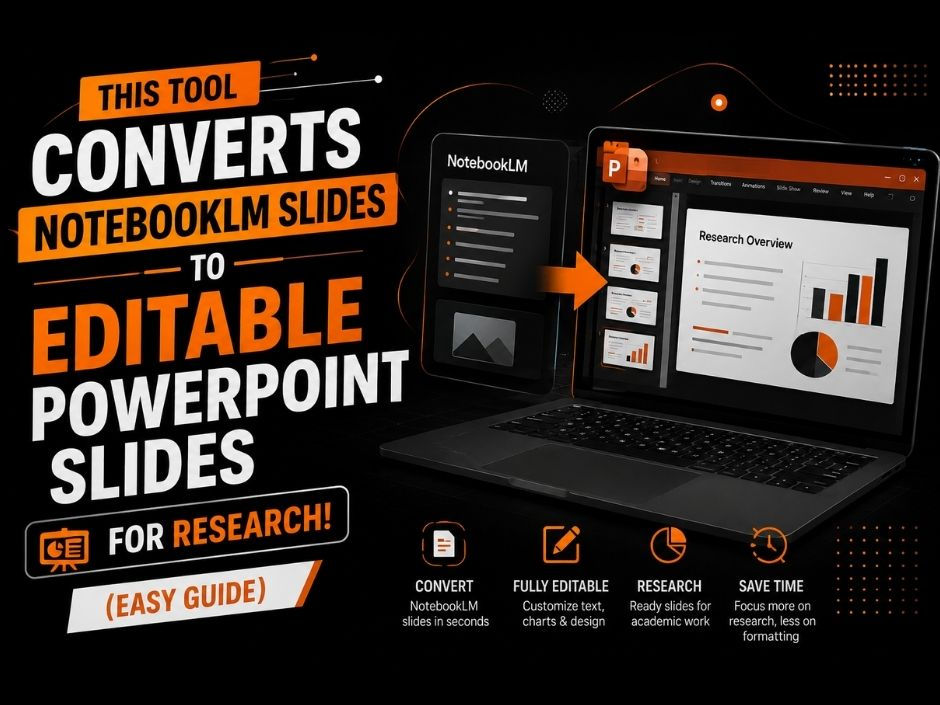
Teachers can transform research papers, reports, and lecture notes into professional presentations. This reduces the time spent creating slides while ensuring that key concepts are covered effectively.
Why NotebookLM is a Game Changer for Education
Many teachers spend hours reading papers, preparing summaries, creating assessments, and organizing content. NotebookLM brings all of these activities into a single workspace.
Instead of jumping between multiple applications, educators can manage their resources, teaching materials, and learning activities from one platform.
For professors supervising research students, this can be especially valuable because it allows them to extract information quickly and prepare educational material more efficiently.
Tool #3: ClickUp – The Ultimate AI-Powered Task Manager for Educators
Teaching is not just about lectures.
Educators also manage:
Student supervision
Research projects
Meetings
Course planning
Assignment tracking
Administrative tasks
This is where ClickUp becomes extremely useful.
ClickUp is a productivity and project management platform that helps teachers organize everything in one place.
How Teachers Can Use ClickUp
Manage lecture schedules
Teachers can create separate boards for different courses, upload lecture materials, and track which lectures have been completed and which still need preparation.
Supervise student projects
Professors supervising MPhil or PhD students can assign tasks, monitor progress, share documents, and maintain communication without relying on scattered emails and messages.
Organize research activities
Research projects often involve multiple deadlines and collaborators. ClickUp helps keep everything organized by providing task tracking, file sharing, and progress monitoring features.

Why ClickUp Works So Well for Academic Teams
One of the biggest challenges for professors and senior researchers is managing multiple students at the same time.
ClickUp allows educators to:
Keep all research projects in one workspace.
Instead of searching through emails and folders, all documents, comments, deadlines, and updates remain centralized.
Track student progress visually.
Teachers can quickly identify which tasks are completed, pending, or delayed without scheduling constant follow-up meetings.
Improve communication.
Team members can collaborate directly within tasks, reducing confusion and improving project coordination.
For educators managing several classes or research groups, this level of organization can significantly reduce administrative workload.
Which Tool Should You Use?
The answer depends on your needs.
If your main focus is creating lectures, educational content, and lesson plans, Claude is an excellent choice.
If you work heavily with research papers and academic documents, NotebookLM provides capabilities specifically designed for educators and researchers.
If organization and project management are your biggest challenges, ClickUp offers one of the most effective solutions available.
In reality, many educators will benefit from using all three tools together. Claude can create the content, NotebookLM can analyze and organize knowledge, and ClickUp can manage the workflow.
Conclusion
The role of a teacher is becoming increasingly demanding, but AI tools are making it easier to manage educational responsibilities without compromising quality.
Claude helps educators create lectures, presentations, and lesson plans in a fraction of the usual time. NotebookLM transforms research papers into interactive learning resources, quizzes, presentations, and summaries. ClickUp keeps everything organized, from lectures and assignments to student supervision and research projects.
Together, these three free tools can help teachers spend less time on repetitive tasks and more time focusing on what matters most—teaching, mentoring, and helping students succeed.
Looking for more AI tools, research tips, academic resources, and productivity hacks for researchers and educators?
Follow Scientific Pakistan for practical guides, research insights, and the latest tools helping teachers and researchers work more efficiently in the age of AI.


The lesson planning alone is a full-time job, so having AI tools that actually cut that time down is a game-changer. I've been testing a few of these myself and the results are worth checking out at https://hailuo-ai.pro
The shift from just lecturing to managing all that prep work is exactly where these tools shine—lesson planning alone used to eat my Sundays. I’ve been testing a few of these out myself, and the time savings are real. Check out https://cults3d.pro
The shift from just delivering lectures to managing all that prep is so real—lesson planning alone eats hours. I’ve been using one of these to cut that down, and it’s been a game-changer for my workflow. Check out https://spheroz.com
The shift from just lecturing to managing all that prep work is so real—lesson planning alone eats my weekends. I've been using a few of these to cut that time down, and the one that's been a game-changer for me is https://ai-for-music.com
The free tools list is spot-on—lesson planning alone eats up hours, so anything that streamlines that is a win. I’ve been testing a few of these myself, and the one that’s saved me the most time is actually one you can grab right here https://crayo-ai.net